Settings is where organization-wide options are configured.
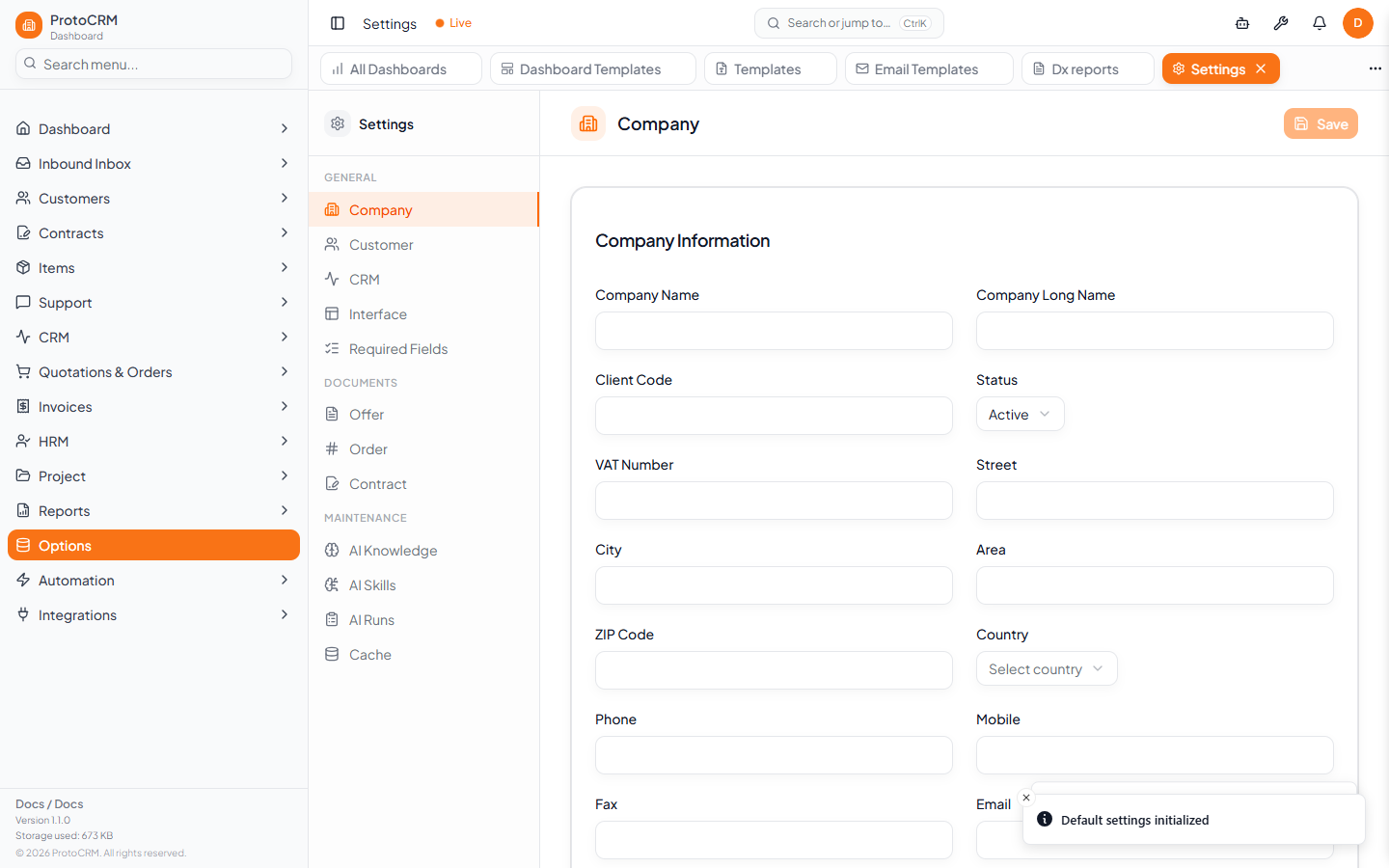
Where
/settings. A left navigation lists the sections; the heading shows the active one.
| Group | Sections |
|---|---|
| General | Company, Customer, CRM, Interface, Required Fields |
| Documents | Offer, Order, Contract |
| Maintenance | AI Knowledge, AI Skills, AI Runs, Cache |
Steps
- Open
/settings. - Choose a section in the left navigation.
- Change values. An "Unsaved changes" hint appears; click Save at the top right of the section.
Required Fields, AI Knowledge, AI Skills, AI Runs and Cache are standalone sections: they have no Save button at the top and manage their own content.
Tips
- Defaults chosen here (for example document defaults) are used when new records are created.
- Required Fields controls which fields must be filled on forms.
- AI Knowledge holds guidance the AI assistant can use.
- Other option lists, such as VAT options, live at
/vat-options. - You need the right permissions; sections you cannot use may be missing or read-only.