Extract and upload invoices
Bring supplier invoices into ProtoCRM. Reading continues in the background.
Upload files
-
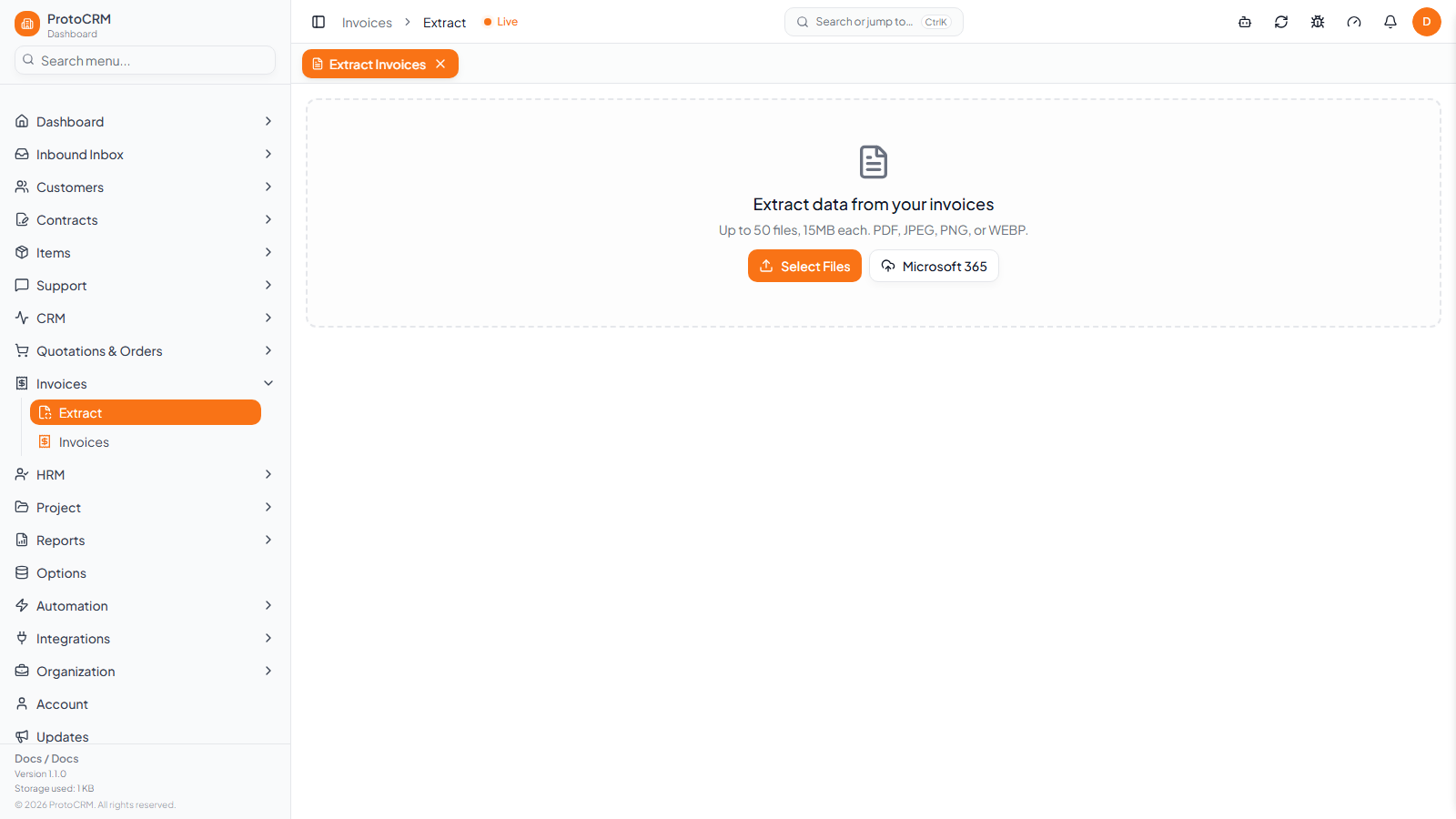
Go to Invoices → Extract.
-
Click Select Files, or drag files onto the dashed area. Up to 50 files per batch, 15 MB each, PDF, JPEG, PNG or WEBP. Other files are skipped and a message tells you how many.
-
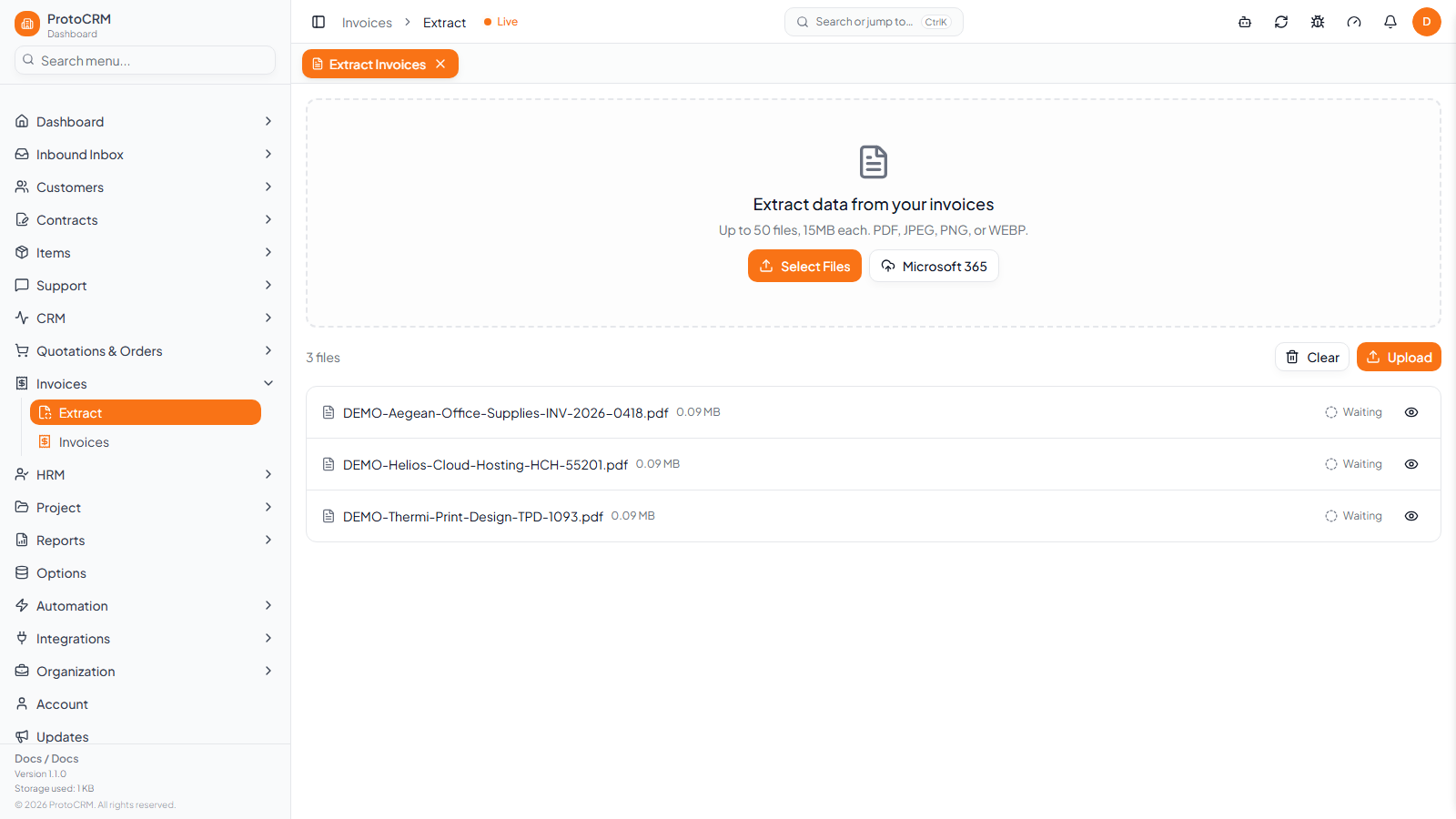
Files are listed as Waiting. Use the eye icon to preview a file, or Clear to start over.
-
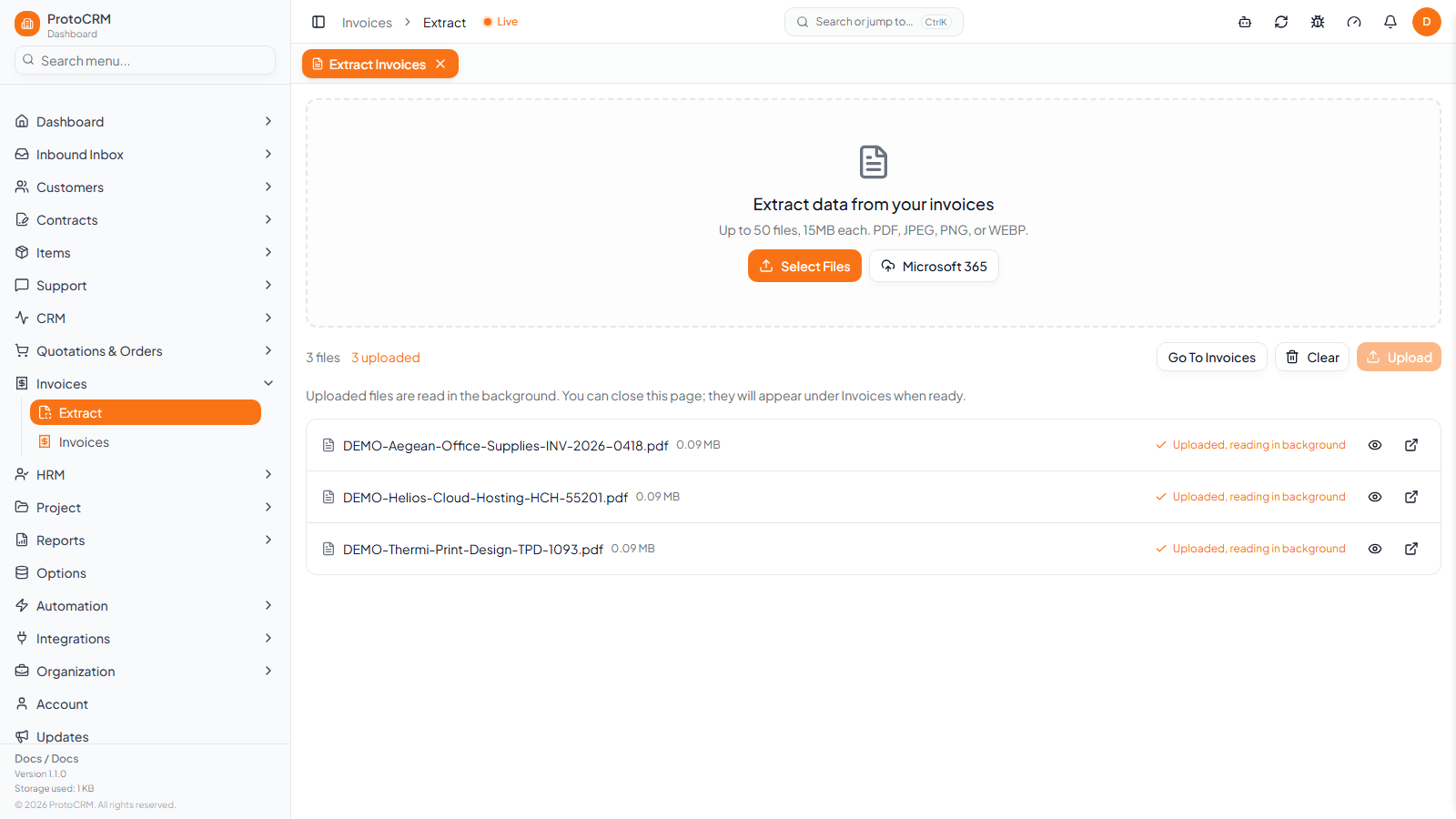
Click Upload. Each file shows Uploaded, reading in background, then Read.
-
You can close the page. Click Go To Invoices, or the open icon on a row to go straight to that invoice.
A file uploaded before is marked Already uploaded, so the same invoice is not created twice.
Other ways to bring invoices in
- Microsoft 365: on the Extract page, click Microsoft 365 to browse SharePoint sites, Teams files or your OneDrive and import PDFs. An administrator must first connect Microsoft 365 (see Microsoft 365).
- Email: in Mailbox, use Create invoices on an email, or turn on Also create invoices from PDF and image attachments in a mailbox rule. The invoice page then shows From email with the sender and subject.
Next: Review an invoice.